 Productivity
Raycast
Powerful macOS launcher and productivity platform — 7.3K GitHub stars for extensions
Paperless-ngx is a community-maintained, open-source document management system that scans, OCRs and indexes your paper into a searchable archive you fully own. After v2 it has become the de facto self-hosted replacement for Evernote, Dropbox Paper and paid DMS tools.
Paperless-ngx is an open-source, self-hosted document management system that ingests your scans and PDFs, runs OCR in 100+ languages, and builds a fully searchable, tagged archive you control end-to-end. We rate it 90/100 — for anyone with a flatbed scanner or a mountain of PDFs, Paperless-ngx in 2026 is the gold standard for going paperless without renting space in someone else's cloud.
Paperless-ngx is the third generation of a lineage that started in 2017, when Daniel Quinn released the original Paperless to scratch his own invoice-archive itch. In 2019, Jonas Winkler rewrote it on Django as Paperless-ng to modernize the stack and UI. When Winkler became inactive in late 2021, a rotating crew of maintainers — led today by @shamoon, @stumpylog, @bauerj and others — forked it on into Paperless-ngx. That community-governed model is why the project is still shipping: the latest release, v2.20.14 on April 14, 2026, landed as a 7-bug maintenance release, and the repo sits at 39.1k GitHub stars with 2.5k forks under the GPL-3.0 license.
The problem it solves is narrow and specific: physical paper (and the PDFs that pile up on your Downloads folder) is unsearchable, unorganized and unbackupable. Paperless-ngx turns a pile of tax returns, leases, warranties, and utility bills into a Gmail-for-documents — OCR'd, tagged, searchable and backed up wherever you want.
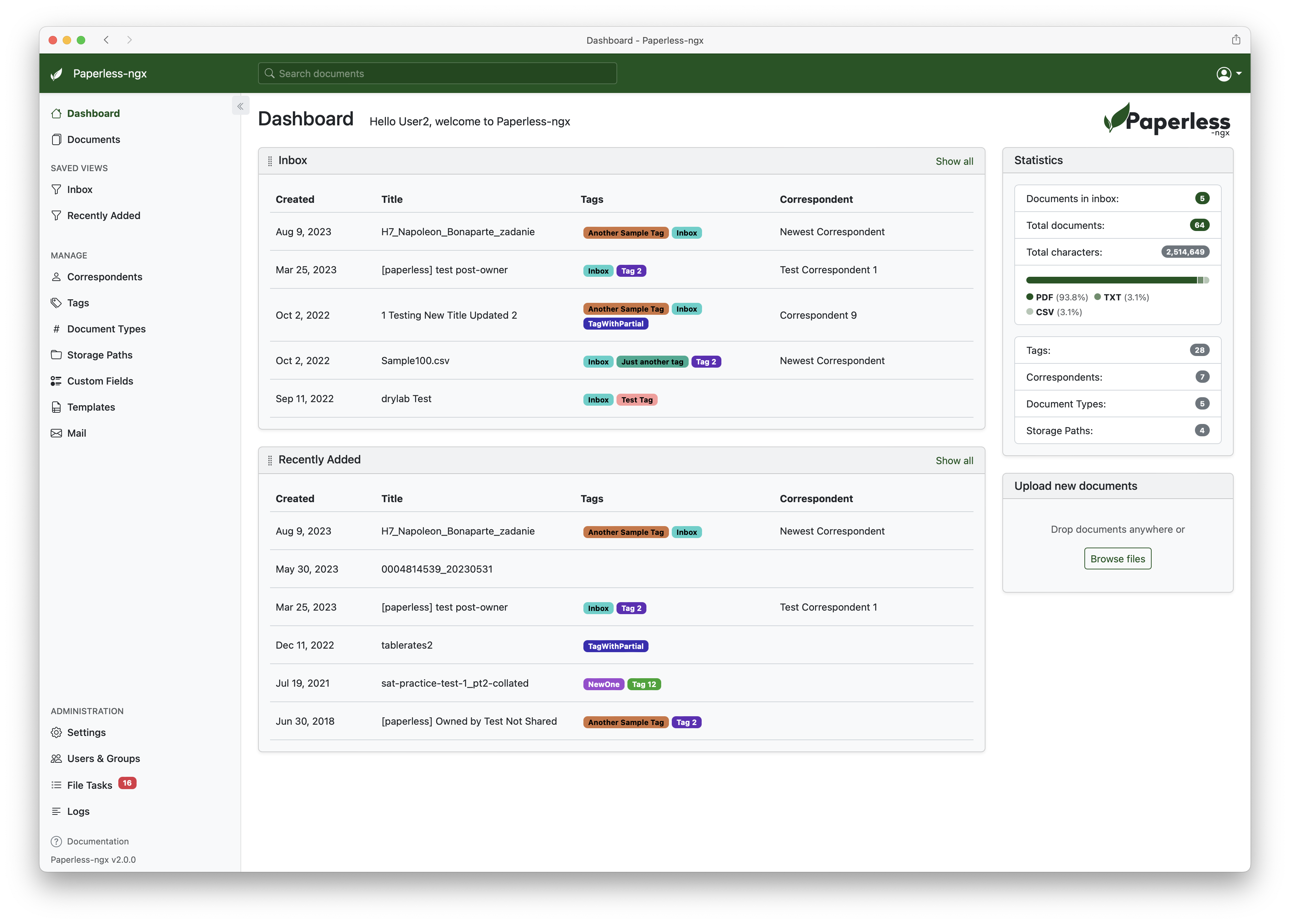
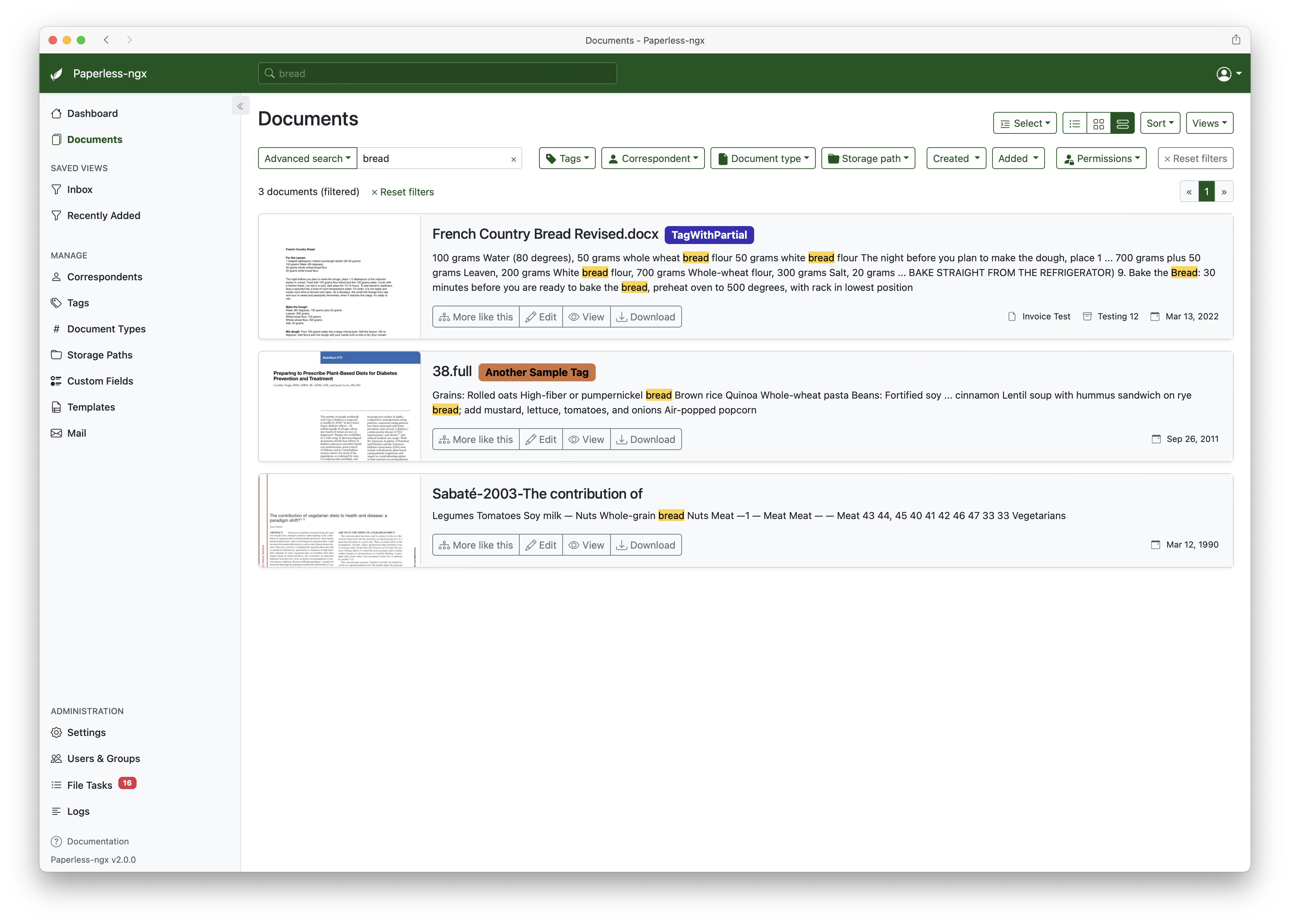
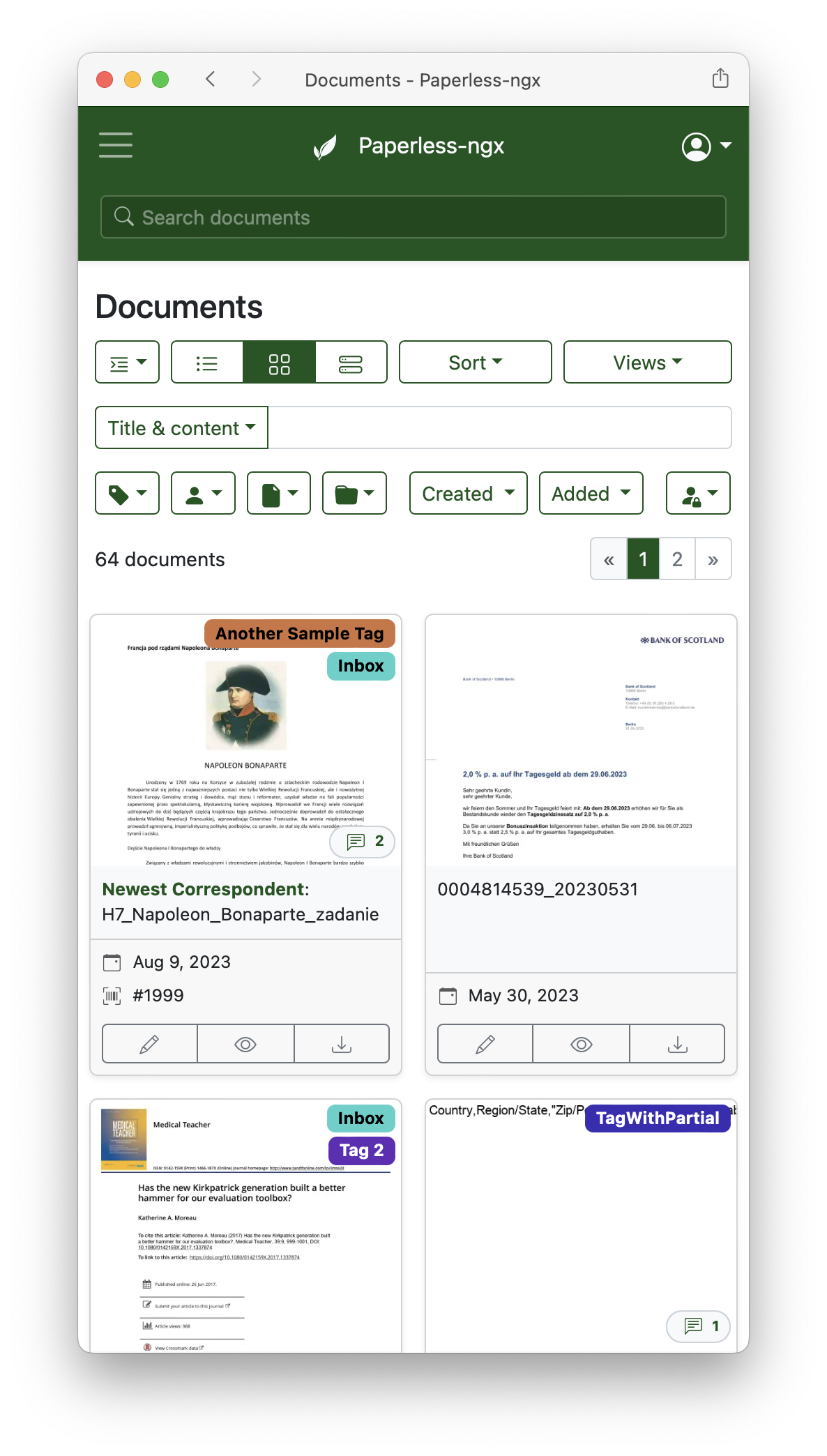
Cmd+F works as it should.consume directory pattern is how most people ingest in production.more_like:doc_id operator is a low-key killer feature for finding contract duplicates.{{ created_year }}/{{ correspondent }}/{{ title }}), and the database is plain PostgreSQL — back it up with restic, borg, rsync, or S3.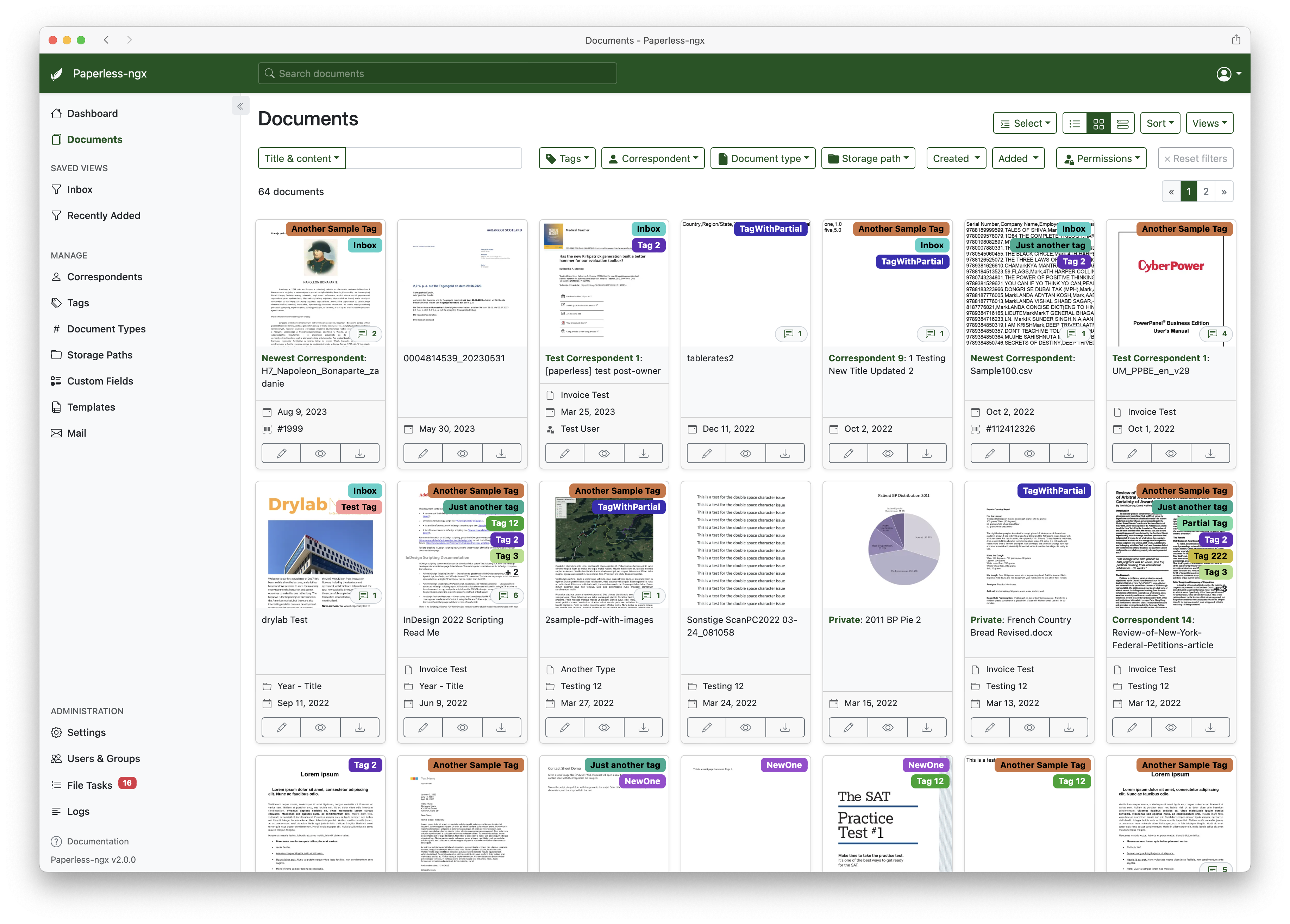
Sentiment across r/selfhosted, r/homelab and Hacker News is overwhelmingly positive, with one XDA review calling it "the gold standard for self-hosted document management" and several 2026 Reddit threads flagging it as the first self-hosted productivity app non-technical family members will actually use. The most-upvoted praise points are consistent: the OCR quality rivals paid DMS tools, auto-classification becomes uncannily accurate after 100–200 documents, and the web UI is fast even on a Raspberry Pi 4.
The recurring complaints are equally consistent and worth taking seriously. First, data is stored unencrypted at rest — the project's own docs bluntly say "Paperless-ngx should never be run on an untrusted host," which rules out most shared VPS setups without full-disk encryption. Second, there is no official mobile app; users rely on third-party Android clients like Paperless Mobile and iOS clients like Paperless Share, both of which work well but lag behind the web UI on new features. Third, the Docker Compose-only install path is a genuine barrier — there is no bare-metal installer, no one-click NAS package for most brands, and the stack (PostgreSQL, Redis, Tika, Gotenberg, the app container) is heavier than newcomers expect on first boot.
Paperless-ngx is free and open-source under the GPL-3.0 license. There is no commercial edition, no seat limit, and no cloud-hosted version from the core team. Your only costs are self-hosting costs and optional donations.
| Option | Price | What You Get |
|---|---|---|
| Self-host (software) | $0/month | Full app under GPL-3.0 — unlimited documents, users, custom fields, workflows |
| Typical home setup | ~$150–$400 one-time + ~$3/mo electricity | A Raspberry Pi 5 or mini-PC with a 1–2 TB SSD handles a household for years |
| Managed hosting (third party) | From ~$19/mo | Providers like Elestio and PikaPods run Paperless-ngx for you with backups |
| Support the project | Voluntary | GitHub Sponsors — funds maintainer time and infrastructure |
Best for: Households drowning in paperwork, freelancers and consultants who need a searchable client-document archive, small accounting/legal practices that can't send client docs to a US cloud vendor, and homelab users already running Docker on a NAS or mini-PC.
Not ideal for: People who just want a fancy file explorer (the setup curve is real), anyone without backup discipline (there is no cloud safety net — if your disk dies, your docs die), users on a shared VPS they don't control, and teams that need a polished mobile-first experience out of the box.
Pros:
Cons:
Docspell is a strong self-hosted alternative with stronger NLP for German-language invoices; Teedy (formerly Sismics Docs) is simpler to set up but has much weaker OCR and auto-tagging. On the paid cloud side, Evernote, DEVONthink (Mac-only) and M-Files are the serious comparisons — all of them charge $8–$30/user/month and send your documents to someone else's servers. For pure PDF organization without OCR automation, our Obsidian review covers a reference-style alternative that pairs well with Paperless-ngx as a notes layer.
Yes — if you have paper. Paperless-ngx is the rare self-hosted tool that is objectively better than its paid alternatives on the core job (search quality, auto-classification, total cost of ownership over 5+ years), and it only loses on UX polish and mobile. If you are already running a homelab or a NAS, this is a no-brainer install that will save you hundreds of dollars a year versus Evernote, DEVONthink or a paid DMS, and it will survive any single-vendor lock-in. The 90/100 rating is held back only by the lack of first-party mobile apps and at-rest encryption — two things that keep it out of "perfect" territory for commercial or compliance-heavy use.
PAPERLESS_OCR_LANGUAGE environment variable.demo/demo. Do not upload real documents — it is reset frequently.ServiceNow and Accenture Launch Forward Deployed Engineering Program to Scale Agentic AI in the Enterprise (May 6, 2026)
At Knowledge 2026, ServiceNow and Accenture announced a joint forward deployed engineering program that drops co-located engineer pods into customer environments to ship agentic AI workflows natively on the ServiceNow AI Platform — with access to 300+ pre-built agent skills and the AI Control Tower as the governance backbone.
May 7, 2026
ReFiBuy Raises $13.6M Seed to Help Brands Get Recommended by AI Shopping Agents (May 5, 2026)
ReFiBuy, the Raleigh-based agentic commerce platform from ChannelAdvisor founder Scot Wingo, closed an oversubscribed $13.6M seed led by NewRoad Capital Partners on May 5, 2026 — betting that the next billion-dollar e-commerce moat is being chosen by ChatGPT, Claude and Perplexity.
May 7, 2026
OpenAI Replaces ChatGPT's Default Model With GPT-5.5 Instant — 52.5% Fewer Hallucinations, 30% Shorter Answers (May 5, 2026)
OpenAI on May 5 swapped GPT-5.3 Instant for the new GPT-5.5 Instant as ChatGPT's default model, claiming 52.5% fewer hallucinated claims on high-stakes prompts and 30% more concise answers. The model also rolls into the API as chat-latest and adds personalization from Gmail and past chats for Plus and Pro web users.
May 7, 2026
Is this product worth it?
Built With
Compare with other tools
Open Comparison Tool →